If you have a website, you want people to find it on Google. One of the best ways to do that is by using On-Page SEO.
On-Page SEO is the process of improving the pages on your website so they can rank higher in search engines like Google. It helps search engines understand what your page is about and makes it easier for people to read and enjoy your content.
Unlike Off-Page SEO, which focuses on backlinks from other websites, On-Page SEO is everything you can control on your own website.
Why Is On-Page SEO Important?
On-Page SEO helps both search engines and visitors.
When your page is well organized and easy to understand, Google is more likely to show it in search results. At the same time, visitors can quickly find the information they need, which creates a better user experience.
Good On-Page SEO can help you:
- Rank higher in Google
- Get more organic traffic
- Keep visitors on your website longer
- Build trust with your audience
- Increase leads and sales
How Does On-Page SEO Work?
Search engines read every page on your website. They look at your content, headings, images, keywords, and many other factors to understand what your page is about.
If your page is helpful, easy to read, and answers the user’s question, it has a better chance of ranking well.
The goal is not to write for Google alone. The goal is to create content that is useful for real people.
Important Parts of On-Page SEO
1. High-Quality Content
Content is the most important part of On-Page SEO. Write clear, useful, and original content that answers your reader’s questions.
2. Keywords
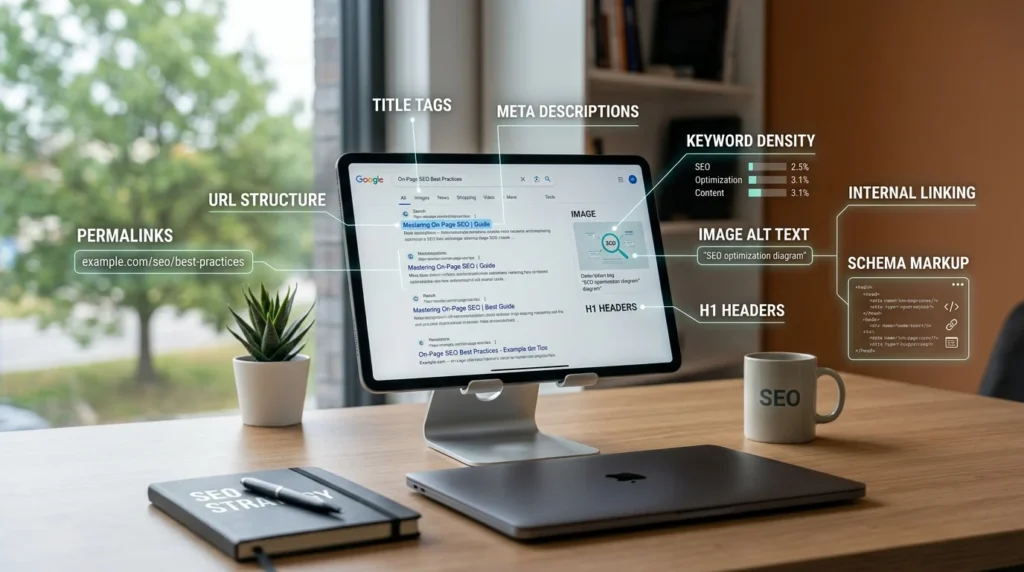
Keywords are the words people type into Google. Use your main keyword naturally in the title, headings, introduction, and throughout the content. Avoid using the same keyword too many times.
3. Title Tag
Your page title tells Google and users what the page is about. Keep it clear, interesting, and include your main keyword.
4. Meta Description
A meta description is the short text shown below your page title in Google search results. A good description encourages people to click your page.
5. Headings
Use headings like H1, H2, and H3 to organize your content. They make your page easier to read for both users and search engines.
6. Image Optimization
Add images that support your content. Use descriptive file names and alt text so search engines understand what the images show.
7. Internal Links
Link to other helpful pages on your website. Internal links help visitors find more information and allow search engines to explore your site.
8. Page Speed and Mobile Friendliness
A fast website provides a better experience. Your pages should also work well on phones, tablets, and computers because many people browse on mobile devices.
Simple On-Page SEO Tips
If you’re just getting started, follow these simple tips:
- Write helpful content for your readers.
- Use one main keyword naturally.
- Create clear page titles and headings.
- Add images with descriptive alt text.
- Link to related pages on your website.
- Make your website fast and mobile-friendly.
- Update your content regularly to keep it fresh.
Common On-Page SEO Mistakes
Many beginners make small mistakes that can hurt rankings. Try to avoid:
- Copying content from other websites
- Using too many keywords
- Writing very short or unhelpful content
- Missing title tags or meta descriptions
- Forgetting internal links
- Ignoring mobile users
- Having slow-loading pages
Final Thoughts
On-Page SEO is one of the easiest and most important ways to improve your website. It helps search engines understand your content while giving visitors a better experience.
You don’t need to be an SEO expert to get started. Focus on creating helpful content, using keywords naturally, organizing your page with clear headings, and making your website fast and easy to use. Over time, these small improvements can help your website rank higher, attract more visitors, and grow your online presence.